

Relaunching an Emmy-award winning app for cinematographers
My approach to taking over a legacy codebase.

I recently got a chance to work on an app called Artemis Pro.
Artemis is an app for cinematographers that won an Emmy in 2018 for its technical contributions to the film industry. It’s been used on films such as Lady Bird, Logan, Blade Runner 2049, and tv shows such as Narcos and Poker Face.
Working on an app like Artemis has been a bit of a dream because I’ve always admired the craft of film & tv from a distance. Meaning … I watch an embarrassing amount of film and TV and am a sucker for the Vanity Fair Notes on a Scene series. I also have a weird ability to quote movies from a single viewing decades ago (but ask me what I had for breakfast and I’m useless).
But this is an app for cinematographers, not an app for trivia night.
So what do I know about cameras?

I’ll tell you what I know about cameras … absolutely nothing 😅.
But I am an iOS developer and I would argue that skill opens the door to whatever world needs an app built. Which means that as long as I buy into whatever that app is selling, I have a pretty good chance of doing it justice. For instance,
At Hart, I got obsessed with health care.
At Acorns, I went deep on fintech.
And at GOAT, I nerded out over two-sided marketplaces.
So now? I get to build something for the people who actually make the things I quote at breakfast (sorry to my wife who has heard me yell, “YEESS, DO IT SETH!” more times than anyone should).
But there was one big difference: Hart, Acorns, GOAT … those were VC-backed tech startups. Which meant they had Systems, Standards, and Infra.
Artemis is a homegrown app built by film professionals who needed a tool that didn’t exist, so they decided to just make it themselves. Which is absolutely incredible because that means they taught themselves the tech part and built this thing completely from the ground up.
It’s been around for 15+ years, has become an industry standard, and I repeat, IT WON A FRIGGING EMMY.
But 15 years of figuring it out alone with no technical mentors means a decade-plus of compounding tech debt. All of which leads here: how I took over a 15-year-old codebase and gave Artemis the systems it never had.
Before continuing, I do want to say that as a self-taught dev myself, I wouldn’t be able to take on a project like this without the techincal mentors who showed me right from wrong. Oh, I made so many wrongs lol. Thank you Rocky Demoff, Boris Oks, Jarred Davis, Alvin Yu, Hyung Lee, Tony Albor, Warren Dodge, Toby Evetts & many more.
1. Set up Communication & Collaboration Tools.
I like to set up systems and Infra before even looking at the code. Luckily, you only need 3 tools for this:
You can swap GitHub Issues & Projects for Linear or JIRA, it doesn’t matter. What matters is that everyone on the team knows what’s happening, what’s next, and what’s on fire. And to take it a step further, I pipe my issue trackers into Slack so that everyone sees when things open, move, close, or get commented on. This scene from Silicon Valley basically tells you everything you need to know.
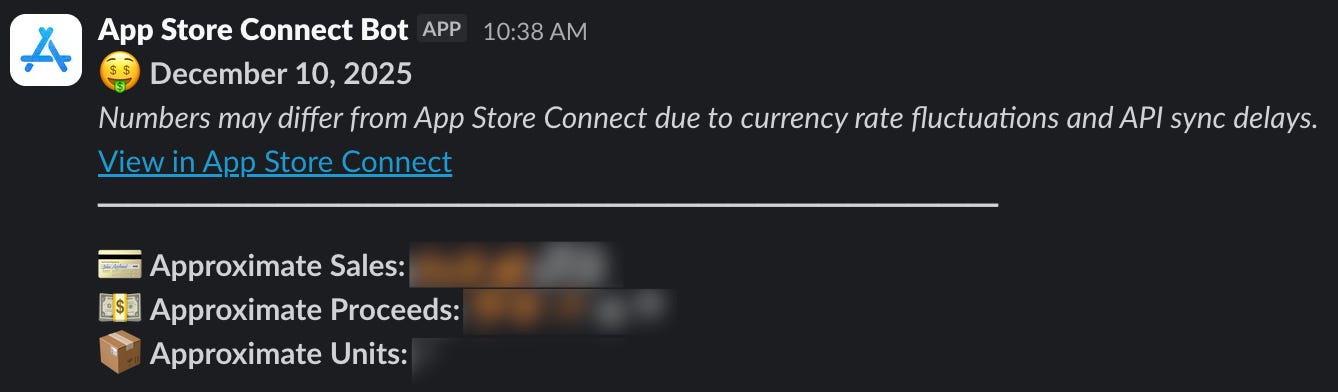
For an added bonus, you can build an AppStoreConnect integration into Slack to get notified about daily sales updates:
For the startup vets, you’ll notice I left Notion off the list. With a tiny team, Notion is overkill because fast-moving products outpace documentation anyway. Plus, one of my favorite things a co-worker has ever said to me,
“If you ever want to hide something in plain sight, put it in a Notion doc.”
2. Set up a crash reporting service.
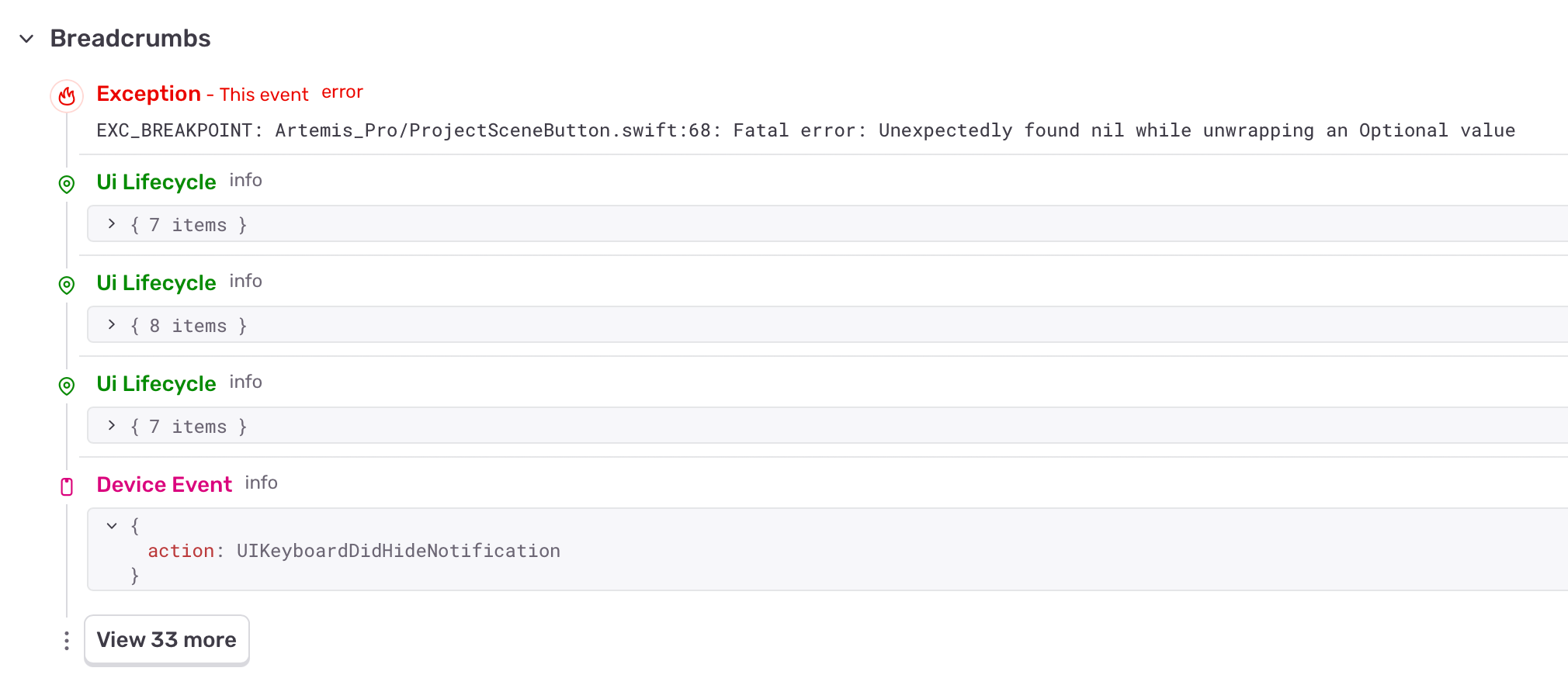
If the app doesn’t have a crash reporting service in it yet, now’s the time. I need actual insight into what’s breaking and not just anecdotes and hearsay. A crash reporting service will give me a paper trail for every crash and a fighting chance at actually reproducing and solving the issue.
A lot of startups go with Firebase and Crashlytics because it’s free, but I like Sentry because it takes data privacy more seriously.
3. Slowly, make your way into the codebase.
I make tiny, tiny, tiny non-business logic edits at first. It gets me familiar with how things are wired up. Fix some fonts, change some colors, tidy up some padding, clean up some copy.
It feels like nothing, but in a codebase you’re completely unfamiliar with, I guarantee that updating a data model, changing a network call, or even something as simple as moving a button from one corner to another will break something you didn’t expect.
But while I’m making these tiny, almost imperceptible changes, crashes are going to start rolling in from your crash reporting service. And those will become your first “business logic” fixes. It’s not sexy, but that mysterious crash that’s been plaguing users for years? You can eradicate it and earn some easy goodwill with the rest of the team.
4. Find your bitxh.
Now, I’m ready to find a feature that’s important to the app but not too big. Something you can redesign and refactor that people will take notice of, something that will buy you more credibility.
But still keep it small! Let this feature be your tour guide through the rest of the codebase. For Artemis, I chose the Exposure Panel:
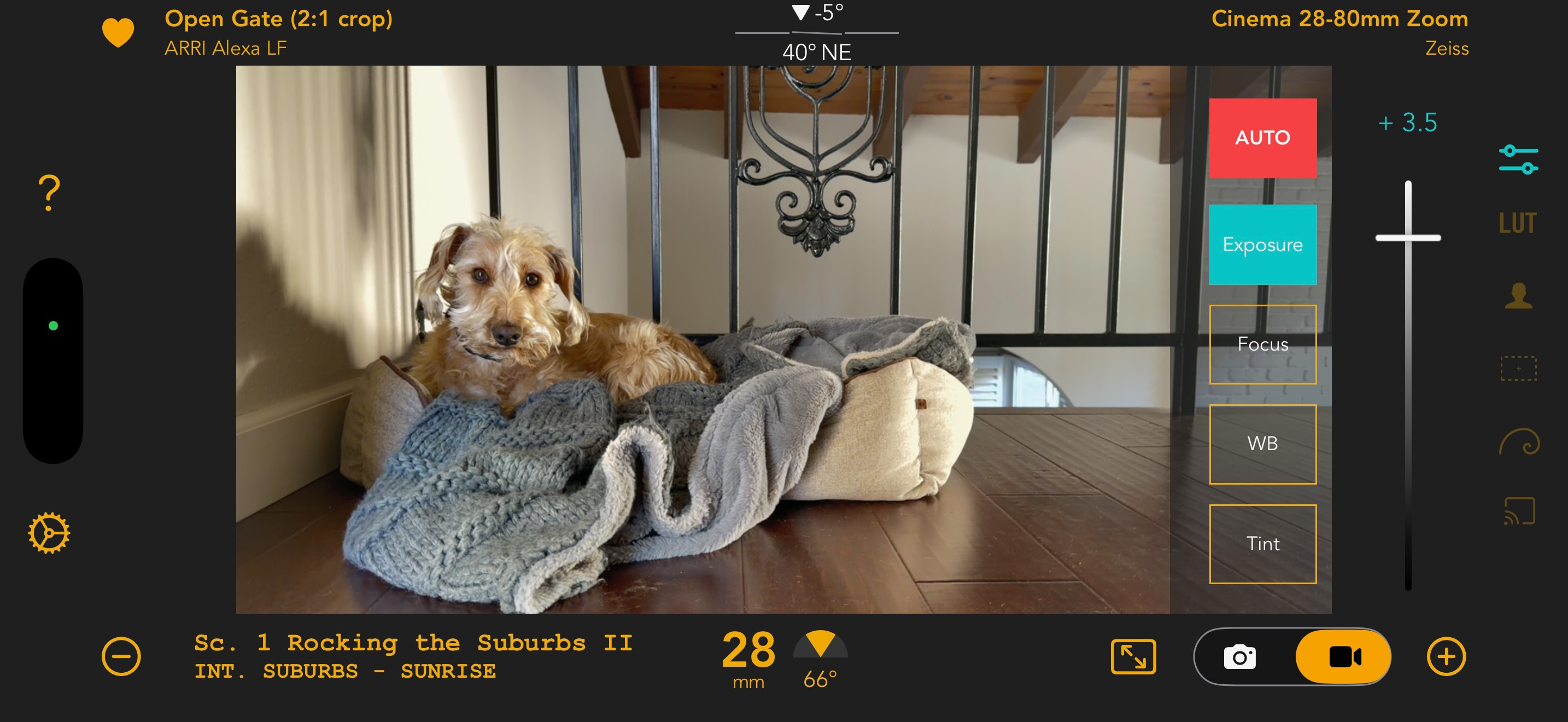
It starts with the simplest questions like, “Why is the AUTO button red?” and “Is that red a system red or a custom red and if custom, what is it called and where is it stored?” All things you take for granted once you’re months into a codebase but these are important things when you’re just getting into it.
From there, you start exploring the other buttons in the right-hand bar (what do these do?). Then how navigation works (overlay, modal, or push?). Then how exposure, focus, white balance, and tint values are persisted. Then what those values actually mean.
And so on.
One tightly focused feature taught me a lot about how the app actually worked. And that’s when I could finally start making real changes.
5. You ready? You look ready.
From here, you can finally start shipping real features! Woohoo. Are you going to break things? Absolutely. For instance, a couple weeks before relaunching, a friend texted me this:
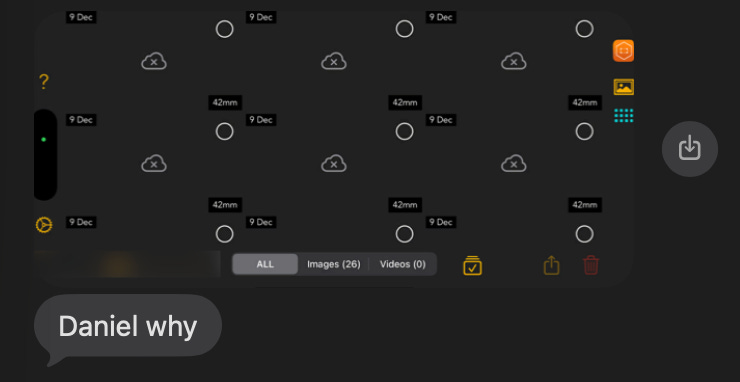
And I’m not going to lie, that text made me question if I was actually the right person for the job. But that’s why TestFlight and betas exist! We got to the bottom of this before the launch by meeting up in person and plugging him directly into the matrix (i.e. aka my computer and Xcode), located the issue, and fixed it.
So on top of having patient beta testers (thank you, again, Justin Lee), you’ll have Sentry to catch it, Slack to communicate it, and finally enough context to fix it fast.
So that’s the playbook! Or at least my playbook 🤷🏻♂️.
As for Artemis? The relaunch is now live, and I’m quite proud of it! You can download the newest version of Artemis here and learn more about the team behind the app on IG here.
Great read, love the vid examples haha